
Technology
The Dutch Viewer’s Complete Guide to IPTV: What It Is, How It Works, What You Can Watch, and What to Expect Before You Start


Changing how your household watches television is a bigger decision than it might initially appear. The television, and what plays on it, is present at the center of Dutch family life: morning news with the NOS Journaal, children’s programmes in the late afternoon, evening entertainment, and weekend sports. A change in delivery technology is therefore a change in the daily experience of every person in the household, and it deserves more attention than a quick search and an impulsive subscription.
This guide is written for Dutch viewers who want to understand IPTV, Internet Protocol Television, properly before making any decision. It covers what the technology is, how it works in practical terms for a Dutch household, what content is available, what the Dutch broadband environment means for stream quality, how to evaluate any provider responsibly, and what legal protections apply to Dutch consumers. There is no sales pitch here, only information to support your own thinking.
Starting With the Basics: What IPTV Actually Is
IPTV stands for Internet Protocol Television. It is a method of delivering television content over the internet rather than through the cable, satellite, or aerial infrastructure that has traditionally carried broadcast signals into Dutch homes. When you subscribe to an IPTV service, the television channels, sports broadcasts, and on-demand films and series are delivered to your device as data over the same internet connection that you use for everything else: web browsing, email, video calls, and streaming platforms like Netflix.
The experience for the viewer closely resembles traditional cable television. You navigate a list of channels, check an on-screen programme guide to see what is on, watch a live news broadcast or sports match, and switch between channels at will. The difference is entirely behind the experience: no cable signal entering your home from a provider’s network, no set-top box that must be installed by a technician, no contract binding you to a specific address, and no annual price increase letter arriving in January.
What Dutch Viewers Can Watch Through IPTV
The content available through IPTV services targeting the Nederlandse markt is comprehensive and covers the viewing needs of most Dutch households. Understanding what is included helps you assess whether IPTV serves your household’s specific requirements before committing to any subscription.
All major Dutch public broadcasting channels are standard inclusions, covering NPO 1 for news and general programming, NPO 2 for cultural and international content, NPO 3 for contemporary programming, and NPO Zapp and NPO Zappelin for children. The commercial Dutch networks are similarly included: the full RTL Group portfolio (RTL 4, RTL 5, RTL 7, RTL 8) and the SBS Group channels (SBS6, Veronica, Net5). Regional broadcasters including AT5 for Amsterdam viewers, RTV Rijnmond for Rotterdam, Omroep West for Den Haag, and the regional public broadcasters serving other Dutch provinces are typically part of a comprehensive Dutch IPTV subscription.
For Dutch households exploring what a structured iptv abonnement includes in practical terms, the channel coverage, trial availability, device support, and pricing transparency of any specific service are the key factors to verify before making a commitment.
Sports content deserves specific attention because it is often cited as the factor that tips Dutch households from consideration to action. ESPN channels covering Eredivisie football, Ziggo Sport carrying Formula 1 broadcasts and Dutch sporting events, Eurosport for cycling and tennis, and the international sports channels broadcasting other competitions that Dutch viewers follow are typically included in comprehensive Dutch IPTV packages without requiring the separate sports tier add-ons that traditional cable providers charge.
How IPTV Works: The Technology Made Accessible
Understanding a few key technical concepts helps Dutch viewers make better decisions when comparing IPTV services and evaluating quality during a trial period.
Video data is enormous in its raw form and must be compressed before internet delivery. The compression algorithm is called a codec. Most Dutch IPTV services use H.264 encoding, which is compatible with virtually every Smart TV and streaming device made in the past decade. Some services also offer H.265 encoding, which achieves equivalent quality at roughly half the data rate, enabling 4K content delivery at speeds achievable on standard Dutch fiber connections.
The compressed video is delivered in small chunks called segments through a protocol called HLS (HTTP Live Streaming). HLS automatically adjusts video quality based on your internet speed, maintaining continuous playback at the best quality your connection can sustain. This means that a household with a reliable 200 Mbps Dutch fiber connection will consistently receive the highest quality streams, while a household using a slower connection will receive reduced resolution but rarely complete interruption.
For the complete technical picture of how IPTV fits within internet standards, the Wikipedia article on IPTV provides a thorough overview of the delivery architecture, streaming protocols, and industry standards that underpin modern IPTV services.
The Dutch Broadband Foundation
IPTV quality depends directly on internet connection quality, which makes the Netherlands’ exceptional broadband infrastructure an important context for Dutch viewers considering the switch. KPN, Ziggo, T-Mobile, and regional fiber providers including Delta Fiber, Glaspoort, and Caiway together give the majority of Dutch urban households access to connections fast enough for HD and 4K IPTV on multiple devices simultaneously.
For Dutch households in Amsterdam, Rotterdam, Den Haag, Utrecht, Eindhoven, Tilburg, Breda, and most other Dutch cities, internet speed is not a practical constraint for IPTV quality. Even for Dutch families in rural provinces where fiber rollout is less complete, ADSL connections of 20 Mbps or more generally support single-stream HD IPTV reliably. The most common cause of IPTV quality problems in Dutch households is not broadband speed but Wi-Fi interference between the router and the streaming device, which is resolved simply by connecting the device via ethernet cable.
Evaluating Any IPTV Service: The Trial Subscription
The most important step in responsible IPTV evaluation is using a trial subscription. No amount of reading reviews or comparing channel lists substitutes for testing a service on your own device, in your own home, during the viewing hours most important to your household.
The IPTV Proefabonnement is the standard evaluation mechanism in the Dutch market. A legitimate provider offers a genuine trial of at least 24 hours that gives full access to the service, not a restricted preview. During the trial, Dutch viewers should test the specific channels most important to their household, check stream stability during weekday evenings between 19:00 and 22:00 when Dutch viewership and server demand peak, verify that the Electronic Programme Guide displays correct Dutch programme times (CET in winter, CEST in summer during zomertijd), and test sports channel stream quality during a live broadcast if sports viewing is a priority.
Any provider who does not offer a genuine trial should be approached with significant caution. The absence of a trial period is consistently associated with service quality that the provider prefers subscribers not to evaluate before committing payment.
IPTV and Dutch Family Life: Practical Considerations
Children and Content Safety
For Dutch families with children, content safety is a non-negotiable requirement. Most IPTV applications including IPTV Smarters Pro and TiviMate include PIN-protected channel category locking, which prevents children from accessing adult content while keeping family-appropriate channels freely accessible. Dutch parents should specifically test this feature during the trial period for their chosen device. NPO Zapp and NPO Zappelin for Dutch-language children’s content, alongside international children’s channels including Nickelodeon, Cartoon Network, and Disney Channel, are standard inclusions in comprehensive Dutch IPTV packages.
Multiple Screens and Simultaneous Viewing
Dutch families where different household members want to watch different content at the same time need a subscription plan that allows multiple simultaneous connections. Most Dutch IPTV providers offer plans supporting 1, 2, or more concurrent streams. A family where a parent watches NPO 1 news in the living room while a teenager follows Eredivisie football on a tablet needs a plan with at least 2 simultaneous connections. Verify the specific concurrent connection limit for any subscription plan before purchasing.
The Health Dimension: Intentional Viewing
Research on leisure quality consistently identifies the distinction between active and passive media consumption. Passive viewing, where you watch whatever happens to be on because changing the channel requires more energy than tolerating mediocre content, produces lower satisfaction and less restoration than active viewing where content is deliberately chosen. IPTV’s structure, which organizes content by category and provides a programme guide showing upcoming content alongside a catch-up library of recently broadcast programmes, nudges viewers toward more deliberate content selection without requiring any conscious effort beyond navigating the interface differently from a cable channel grid.
IPTV and Multicultural Dutch Households
For the significant proportion of Dutch households with cultural roots outside the Netherlands, IPTV addresses a media access need that traditional cable television has never adequately served. The Netherlands is home to large communities with Moroccan, Turkish, Surinamese, Antillean, Eastern European, and international expat backgrounds concentrated in Amsterdam, Rotterdam, Den Haag, and other Dutch cities. Traditional cable packages contain a limited and expensive selection of international channels. Dutch IPTV subscriptions routinely include extensive Arabic-language, Turkish, English, German, French, and other language channel packages as standard, serving households that want to stay connected to their cultural background through media while also maintaining full access to Dutch mainstream channels.
For Dutch households with international backgrounds exploring their IPTV options, verifying that the specific international channels most important to the household are included during the trial period is essential. Channel availability in community-relevant content varies between providers, and stated channel lists do not always accurately reflect what is available and functional during actual use. Exploring what iptv nederland services targeting multicultural Dutch viewers include, and how they differ in their international channel depth, is an important part of the evaluation process for households with these specific needs.
The Legal and Consumer Rights Framework
Dutch viewers using IPTV services are protected by Dutch consumer law, EU consumer protection directives, and GDPR. These frameworks provide meaningful rights including the right to clear pre-contract information about pricing and terms, a 14-day cooling-off period for new distance contracts, rights to cancel without unreasonable penalties after any minimum contract period, and GDPR rights covering access to personal data, correction, deletion, and portability.
The most important practical legal distinction in the Dutch IPTV market is between licensed and unlicensed services. Licensed services that hold appropriate broadcasting rights operate within Dutch copyright law. Unlicensed services distribute content without rights holder permission, constituting copyright infringement. For Dutch consumers, the practical indicators of a licensed, compliant provider are: published algemene voorwaarden and GDPR-compliant privacybeleid; iDEAL payment acceptance (requiring verified Dutch business registration); a genuine proefabonnement; and responsive, verifiable customer support.
Eurostat’s annual research on EU household internet service adoption, which includes data on online subscription service behavior and digital consumer rights awareness across EU member states including the Netherlands, provides broader context for understanding how Dutch consumers approach digital service evaluation compared to other European markets.
Frequently Asked Questions
Is IPTV suitable for elderly Dutch viewers who are not particularly tech-savvy?
Yes, with appropriate setup support. The daily viewing experience in a well-configured IPTV setup, where the app is already installed and credentials entered, is comparable to using a cable television remote: you browse channels and press play. The initial setup requires entering provider credentials, which can be done by a family member on behalf of an older viewer. The Samsung Smart IPTV application, with its simplified interface, is particularly recommended for Dutch viewers who want a straightforward IPTV experience closest to traditional cable navigation.
What is catch-up TV and does IPTV include it?
Catch-up TV allows you to watch programmes that were broadcast in the past, within a specific time window. This extends the uitzending gemist concept familiar to Dutch viewers through NPO Start across all channels in the IPTV subscription rather than only public broadcasting. Most Dutch IPTV services include catch-up functionality with a replay window of 7 to 30 days depending on the provider. This means a Dutch viewer who misses a prime-time RTL 4 programme on Tuesday can watch it on Thursday without any recording setup.
How does IPTV handle Dutch subtitles for hearing-impaired viewers?
Subtitle availability in IPTV depends on whether the provider’s stream includes subtitle tracks. Dutch public broadcasting streams typically include the same Dutch subtitle tracks as the NPO broadcast, as the IPTV stream is derived from the same broadcast feed. Commercial channel subtitle inclusion varies between providers. Dutch viewers who rely on subtitles for hearing accessibility should specifically test subtitle availability on the channels they watch most frequently during any trial period before subscribing.
Can I watch IPTV on a television that does not have Smart TV features?
Yes. An Amazon Fire Stick (35 to 55 euros, available from MediaMarkt, Coolblue, and bol.com) plugs into any television’s HDMI port and provides full IPTV capability through the Amazon Appstore. An Android TV box provides equivalent functionality with greater technical flexibility. Both options are plug-and-play for most Dutch households and convert any television, regardless of age, into a fully capable IPTV viewer.

Technology
The Inspired by Charles Foundation (IBC Foundation) has launched a digital literacy initiative with a target of training 10,000 Africans by 2030
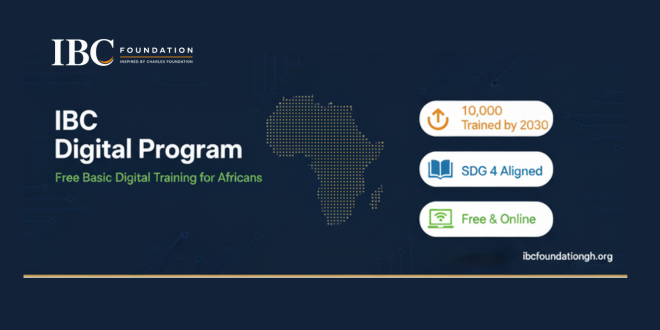
The foundation says the idea came from watching how quickly daily life, work and education have moved online, and how many people have been left struggling to keep up. In parts of Africa, tasks that many people take for granted are still unfamiliar. Writing and sending an email, attaching a résumé, uploading a document or setting up a professional online profile can be real obstacles for someone who has had little exposure to digital tools. When job applications and other opportunities increasingly require these skills, that gap can cost people chances they are otherwise qualified for.
To address this, the foundation has created the IBC Digital Program, which teaches practical skills in four areas: professional email communication, Canva and digital content creation, LinkedIn and building an online professional presence, and artificial intelligence.
The foundation says the aim goes beyond showing people which buttons to press. It wants participants to finish the program comfortable using technology, able to communicate professionally online and willing to go after opportunities they might once have avoided.
The initiative also has a volunteer component. People with strong digital skills are invited to serve as trainers and pass on what they know, which allows the program to reach more learners than a small team could on its own.
Ten thousand learners is a large goal, but the foundation describes the work as happening one person at a time. Each learner who sends a first professional email, uploads a document without help or applies for an opportunity online has gained a skill they can keep using.
The IBC Foundation is starting with digital literacy, with the aim of helping people turn what they learn into real opportunities.
To learn more about the foundation and its mission, visit ibcfoundationgh.org.
IPTV pricing is primary decision factor for cord-cutters evaluating alternatives to cable TV. Annual costs of £20-40 monthly for IPTV versus £70-100 for cable create compelling financial incentive to switch. However, pricing landscape is fragmented: tiered subscriptions, promotional offers, bundling options, hidden costs complicate true cost comparison. Understanding IPTV pricing structure is essential for identifying lowest total-cost-of-ownership option.
Market competition has driven prices down substantially since IPTV’s early days (2010-2015) when premium services cost £50+/month. Today’s competitive landscape features IPTV Smarters pro and dozens of competitors fighting for market share through aggressive pricing. Financial math favors IPTV decisively.
Cable TV Pricing Reality
US cable TV: £165/month average (€150, $165). UK cable: £40-50/month. France cable: €75-95/month. These prices include channels only—premium channels cost additional. Sports packages (usually EUR 15-25/month extra) are expensive. Equipment rental fees (£5-15/month) add up. Installation charges (£50-100 one-time). Promotional rates (first 12 months) are misleading—prices increase dramatically after promotional period ends.
Long-term costs are significant. Five-year cable TV cost: France €4,500-5,700 (at €75-95/month). UK five-year cost: £1,200-1,500. US five-year cost: $9,900-12,000 (£7,900-9,600). These are baseline without premium packages or sports access.
IPTV Service Pricing Breakdown
| Service Type | Monthly Cost | Annual Cost | Primary Content |
|---|---|---|---|
| Cable TV (France) | €75-95 | €900-1,140 | Linear + on-demand TV |
| IPTV Service (Premium) | €35-45 | €420-540 | Linear + VOD + international channels |
| IPTV Service (Standard) | €20-30 | €240-360 | Linear channels, basic VOD |
| IPTV + Netflix + Disney+ | €58-68 | €700-800 | Channels + premium streaming content |
| Streaming Only (3-4 services) | €45-55 | €540-660 | On-demand content only |
Hidden Costs Analysis
Streaming equipment cost: Firestick (£55-65 one-time), Android box (£40-60), or Smart TV (included). These last 3-5 years, amortizing to £1-2/month. Internet upgrade might be required: if connection is under 10 Mbps, upgrade necessary for reliable streaming (£10-20/month typically). VPN optional but recommended (£5-15/month). Device replacement after 5 years (one-time). Total hidden costs: £1-37/month depending on requirements.
Cable hidden costs are often larger: equipment rental (£5-15/month), installation (amortized: £2-3/month), premium channel packages (£15-30/month typical), sports access (£10-25/month typical). Total: £32-73/month in hidden costs beyond base price.
Financial Comparison: Five-Year Total Cost Analysis
Cable TV alone: €4,500-5,700 (France). IPTV Premium + Netflix + Disney+: €700-800/year × 5 = €3,500-4,000. Five-year savings: €500-2,200. Budget IPTV Service: €240-360/year × 5 = €1,200-1,800. Five-year savings: €2,700-4,500. These calculations assume equipment costs amortize within usage period.
Savings increase with family size. Family of four sharing single IPTV subscription: EUR 1,200-1,800 total (per-person EUR 300-450). Cable: EUR 4,500-5,700. Family savings: EUR 2,700-4,500 over five years (EUR 540-900 per person).
Premium vs Budget IPTV Services
Premium services (€35-45/month) typically offer more channels, better reliability, professional support, and regular updates. Services from established providers (Orange TV Now, major international IPTV services). Budget services (€20-30/month) offer core channels but might have reliability issues, limited support, or outdated app interfaces.
https://iptvsmartersprohub.com represents mid-tier approach: professional service (premium features, reliability, support) at moderate pricing. Value proposition: professional-grade service without premium price tag. Similar services compete on this positioning—quality at reasonable cost.
Promotional Pricing Traps
Avoid promotional pricing decisions. Cable TV often advertises €30/month first year, jumping to €80/month year two. Hidden contract cancellation fees (£100-200) trap customers. IPTV promotional pricing: some services offer €9-15/month introductory rates, increasing after 6-12 months. Read terms carefully. Calculate true long-term cost, not promotional rate.
Bundle Strategies
IPTV + streaming combines best of both: IPTV for live television, Netflix/Disney+/Prime for on-demand content. Combined cost (€58-68/month) is cheaper than cable TV (€75-95) while providing superior on-demand content. This bundled approach dominates European market in 2026.
IPTV smarters services bundled with streaming services offer convenience. Some platforms integrate with Netflix, Disney+ within single interface. Evaluate integrated offerings against separate subscriptions for cost comparison.
Frequently Asked Questions
Q: Is IPTV cheaper than cable TV really?
Yes. €35-45 IPTV vs €75-95 cable saves €40-60/month. Annual savings: €480-720. Five-year savings: €2,400-3,600 easily. Bundled IPTV + streaming (€58-68) still saves €10-40/month versus cable. Long-term savings are mathematically undeniable.
Q: What IPTV pricing should I avoid?
Avoid services costing under €10/month (often unreliable, poor support). Avoid services without free trial (no risk-free evaluation). Avoid services with long contract lock-in (prefer month-to-month). Avoid services with auto-renewing subscriptions (difficult to cancel). Reputable services are transparent about pricing and cancellation policy.
Q: Are annual IPTV subscriptions cheaper than monthly?
Usually 10-20% discount for annual prepayment. €35/month = €420/year. Annual discount often reduces to €350-380/year (saving €40-70). Financial advantage is modest. Choose based on commitment comfort level, not price optimization.
Q: What’s cheapest reliable IPTV service?
€20-30/month services are cheapest. Quality varies—some are excellent, others unreliable. Use trial period to test reliability before committing. Paying €35-45/month for premium service you trust beats saving €10-15/month on service experiencing frequent outages.
Technology
Digital Divide in French Education: IPTV Infrastructure Gaps Impact Rural Student Learning
Education & Technology Equity Analysis | August 2026 | 12-minute read
A rural school in Auvergne has 10 Mbps broadband. For 150 students. Peak hours? Maybe 2 Mbps per student if they’re lucky.
Meanwhile, Paris schools have fiber at 100+ Mbps.
This creates outcome disparity that doesn’t make obvious sense: technology quality shouldn’t vary this dramatically within the same country.
Yet it does.
Why Broadband Statistics Lie
“89% of rural France has broadband access” sounds good until you understand threshold: 25 Mbps minimum.
Rural schools operate at 10-15 Mbps. Technically “have broadband.” Practically insufficient for modern curriculum.
Modern curriculum means video-based learning. Science labs recorded as videos. Language instruction from native speakers. History lessons with historical footage. Mathematics walkthroughs.
All require streaming video. IPTV France optimized educational content could theoretically work at lower bandwidth, but requires deployment rural schools don’t have. Services at https://abonnementiptvsmartersproplayer.com/ demonstrate this potential but lack access to rural school infrastructure.
10 Mbps becomes a serious constraint when 30 students simultaneously attempt to watch 1080p educational content. You can’t. Network collapses.
The Cascading Problem
Teachers design curriculum for urban schools (adequate bandwidth). Assign video-based homework.
Rural students attempt homework on inadequate bandwidth. Video buffers. Quality degrades. Content inaccessible.
Rural students don’t do homework. Fall behind. Test scores decline. College preparation suffers.
This isn’t a technology problem. It’s an equity problem masked as technology problem.
Why General Broadband Investment Doesn’t Solve This
Household broadband investment (Fiber-To-The-Home) benefits Netflix consumption. School broadband requirements are different.
Schools need: 100+ Mbps sustained capacity during school hours, reliability (near-zero downtime), optimization for classroom environments (low latency, quality consistency).
Household broadband designed for: variable demand, consumer tolerance for occasional buffering, price optimization.
Requirements misalign. So household fiber deployment doesn’t automatically solve school bandwidth needs.
Rural schools still stuck with insufficient bandwidth despite general broadband expansion. Specialized IPTV smarters infrastructure remains unavailable.
The IPTV Solution (Which Could Actually Work)
Educational IPTV platforms specifically optimize for school environments. Lower bandwidth requirements through efficient streaming protocols, local caching of common content, prioritization of educational uses.
Rural school with 15 Mbps total bandwidth. Deploy IPTV infrastructure locally. Educational content cached on school servers. Bandwidth requirements drop dramatically.
Same school with general-purpose broadband? Can’t stream Netflix efficiently. Can’t stream YouTube reliably. Can stream IPTV-optimized educational content smoothly.
This is structural difference. Educational IPTV designed for constrained bandwidth environments. General streaming designed for unconstrained.
What Actually Needs To Happen (And Won’t)
Schools need dedicated broadband infrastructure investment separate from household deployment.
Governments need to fund school-specific networks requiring 100+ Mbps availability.
Universities need to partner with schools providing educational IPTV content.
None of this is happening with necessary urgency.
Policy discussions focus on household fiber (consumer benefits are obvious). School broadband remains deprioritized (benefits are measurable but less politically visible).
The Equity Problem (Which Is Unresolved)
Technology literacy correlates strongly with future outcomes. Rural students without technology familiarity develop STEM skills slower. College STEM programs remain out of reach. Career options narrow.
Infrastructure gap becomes perpetual disadvantage.
This is solvable. Schools could get adequate infrastructure. Governments could prioritize it. But they’re not.
So rural-urban outcome disparity persists, justified by statistics that claim rural broadband is “adequate.”
It’s not adequate. Just adequate at lying about adequacy.
Frequently Asked Questions
Q: Why can’t rural schools just use Netflix for educational content?
Netflix requires 5-6 Mbps per simultaneous stream. 30 students need 150-180 Mbps. Rural schools have 15 Mbps total. Math doesn’t work.
Q: Can educational content be downloaded instead of streamed?
In theory yes. In practice, pre-downloading requires advanced planning. Teachers can’t assign new content spontaneously. System lacks flexibility.
Q: How much does school-focused broadband infrastructure cost?
Significant. Hundreds of millions for nationwide deployment. But less than lost economic opportunity from rural students falling behind urban peers.
Q: Would IPTV infrastructure actually solve rural education gaps?
Partially. It enables curriculum modernization at constrained bandwidth. But it’s not complete solution. Structural investment in education remains necessary.
Q: Why hasn’t France addressed this gap yet?
Urban bias in policy. Urban voters are larger constituency. Rural problems less politically visible. Classic structural inequality.

The Inspired by Charles Foundation (IBC Foundation) has launched a digital literacy initiative with a target of training 10,000 Africans by 2030

IPTV Pricing 2026: Real Costs Compared to Cable TV and Streaming Services

Digital Divide in French Education: IPTV Infrastructure Gaps Impact Rural Student Learning

Why Choose Leadburst Digital as Your Lead Generation Agency?

Catch-Up TV and Replay on IPTV Smarters Pro: How to Watch Missed French Programmes in 2026

M3U vs Xtream Codes API: Which IPTV Connection Method Works Better for French Subscribers?
Quelle Application IPTV Choisir pour sa Smart TV en France : Comparatif 2026

Why Smaller Teams Are Outperforming Larger Organizations: Sabeer Nelli Explains the Shift

Modern Interior Design Services in Bangkok: Transform Your Space Today

TiviMate Catch-Up TV: How Terugkijken Works for Belgian and Dutch Viewers (And When It Does Not)

Paying for IPTV in the Netherlands: iDEAL, Cancellation Rights, and What Your Provider Owes You
How to Watch Dutch and Belgian TV During Your Vacation (Without a VPN That Half-Works)
IPTV for Dutch Families: Children’s Channels, Parental Controls, and What Parents Actually Need to Know
The Dutch Sports Fan’s Television Problem (And Why IPTV Is the Only Honest Answer)
How IPTV is Transforming Home Entertainment Across the Netherlands: A Complete Practical Guide for Dutch Viewers in 2026
Is Trading Is The Best Investment Option After Retirement?

The Ultimate Guide to 35mm Film Developing Lab

10 Things to Do in Punta Mita

Save on Campervan Rentals with a roadsurfer Gutscheincode

Tailored Tours to Switzerland | Private & VVIP Experiences

Best Things to Do in New York City – Ultimate Travel Guide

Explore New Real Estate Programs in Marrakech

Why is there a white spot on my laptop screen?

How to Be the Best Real Estate Agent Murfreesboro

Find the Best Real Estate Agents Main Line

6×7

Guide to Buying Testosterone Propionate Safely and Effectively

Effective Property Management in Marrakech Morocco

Throne Of Seal Insert E108 Pan Xiuyu

Shana Roberts Northbrook | Discover Her Story
-
 News6 months ago
The Dutch Sports Fan’s Television Problem (And Why IPTV Is the Only Honest Answer)
-
 Technology6 months ago
How to Watch Dutch and Belgian TV During Your Vacation (Without a VPN That Half-Works)
-
 Technology6 months ago
How IPTV is Transforming Home Entertainment Across the Netherlands: A Complete Practical Guide for Dutch Viewers in 2026
-
 Technology6 months ago
IPTV for Dutch Families: Children’s Channels, Parental Controls, and What Parents Actually Need to Know
-
Technology6 months ago
Quelle Application IPTV Choisir pour sa Smart TV en France : Comparatif 2026
-
 Technology6 months ago
Paying for IPTV in the Netherlands: iDEAL, Cancellation Rights, and What Your Provider Owes You
-
Technology3 months ago
Catch-Up TV and Replay on IPTV Smarters Pro: How to Watch Missed French Programmes in 2026
-
Technology3 months ago
M3U vs Xtream Codes API: Which IPTV Connection Method Works Better for French Subscribers?